Versions Compared

Key

  • This line was added.
  • This line was removed.
  • Formatting was changed.

...

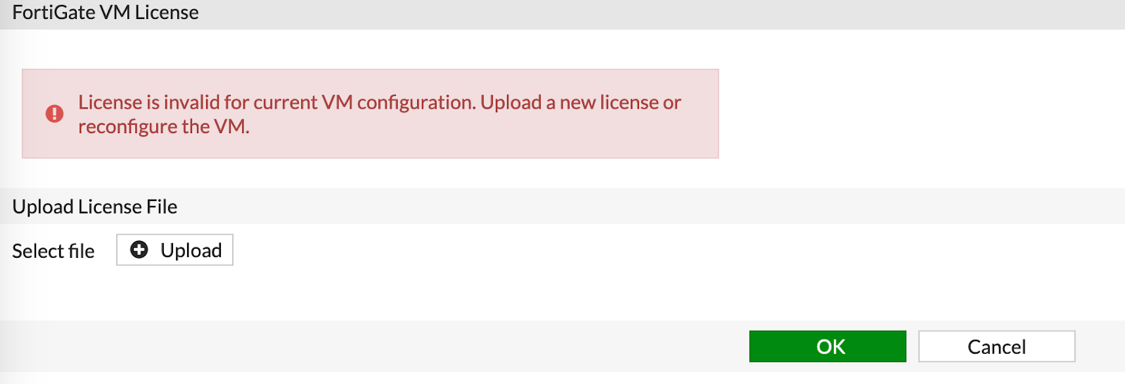
  1. Once logged in for the first time, click “Upload” on the first page:
    A screenshot of a cell phone  Description automatically generatedImage Removed
    Image Added

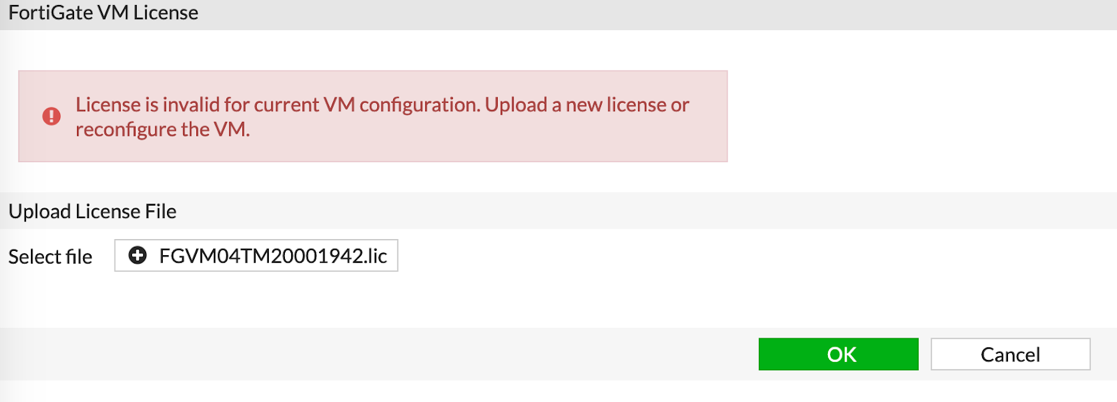
  2. Browse to the license file and click “OK”:
    A screenshot of a cell phone  Description automatically generatedImage Removed
    Image Added

    Once the license file is uploaded, the system will reboot. 

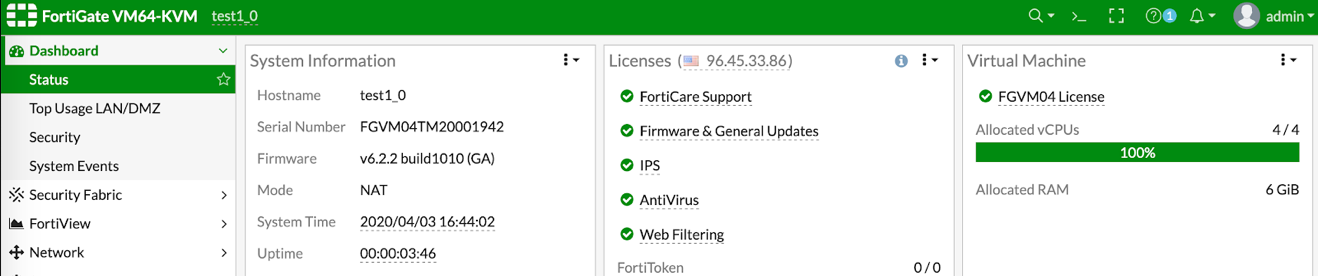
  3. Log back in to the web interface and verify on the dashboard that the license is applied:
    A screenshot of a cell phone  Description automatically generatedImage Removed
    Image Added